|
21.01.2008
Describing an alternative method to FTP over TLS by the use of WebDav over TLS published through ISA 2006 Firewall - Part 7 - An Explanation of WebDav Through ISA 2006 Firewall
So what's happening on the wire when we use WebDav over TLS through ISA?
Unfortunetely Wireshark can't help us here since traffic is encrypted. I'm a liar, :) Wireshark can do that when RSA key exchange is used and we have the server's private key.
How can we see what we can't see?
Yep, time to bring the big guns.
Instead of using the crappy Windows WebDav client we are going to use WebDrive.
And Burp Proxy to sniff SSL traffic(MITM). Burp proxy can be such a very useful tool in troubleshooting scenarios involving HTTPS.
We start hitting the ""Connect" button from WebDrive.
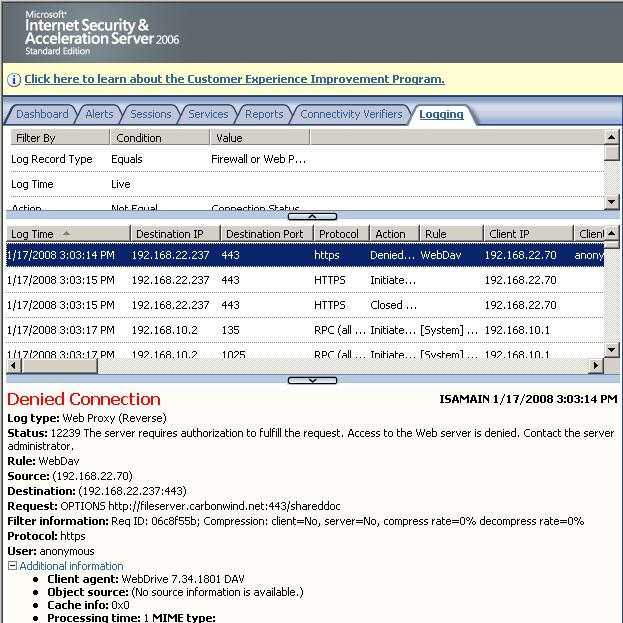
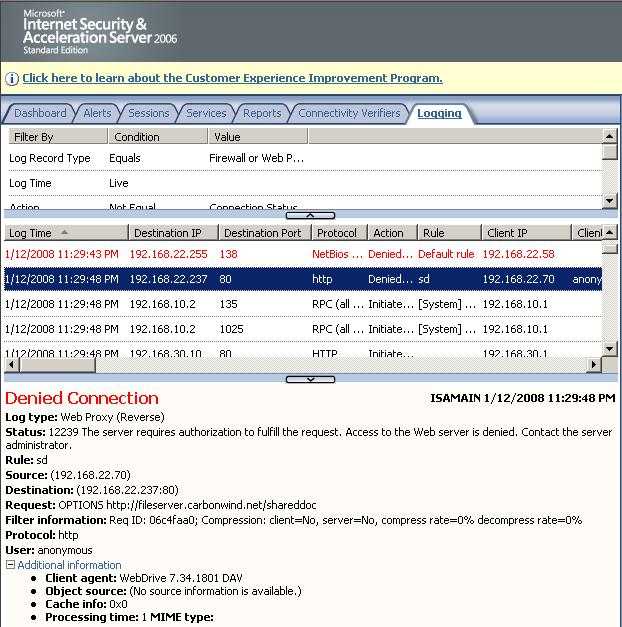
Figure160 shows the ISA log for the first attempt from WebDrive. Business like usual. The OPTIONS request. Which is denied because ISA requires authorization.
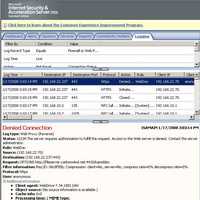
Figure160: ISA Log: ISA Denies the OPTIONS Request
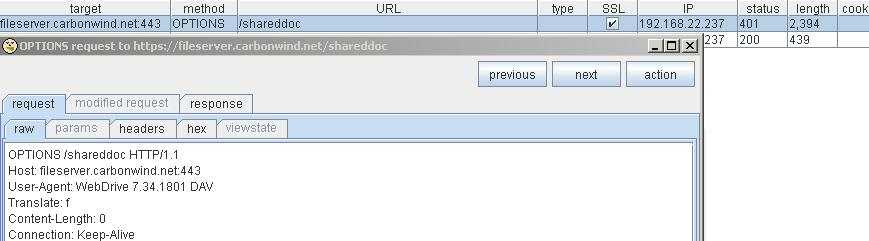
What Burp Proxy shows, see Figure161.
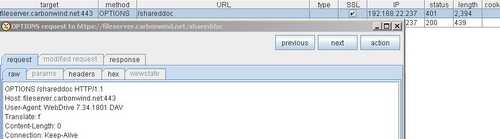
Figure161: Burp Proxy OPTIONS request No Authentication
Nothing fancy.
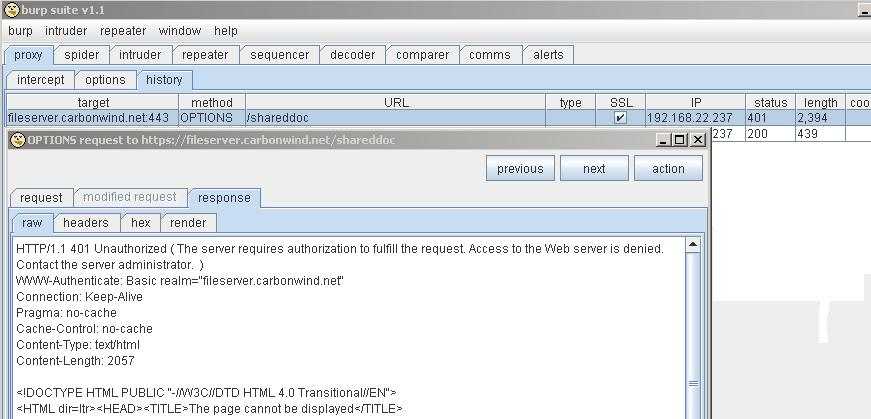
And ISA's response to this. As can be seen from Figure162, ISA returns HTTP 401 Status Code informing WebDrive that it requires authentication, Basic authentication.
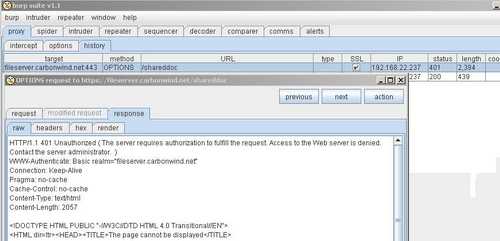
Figure162: Burp Proxy ISA's Response
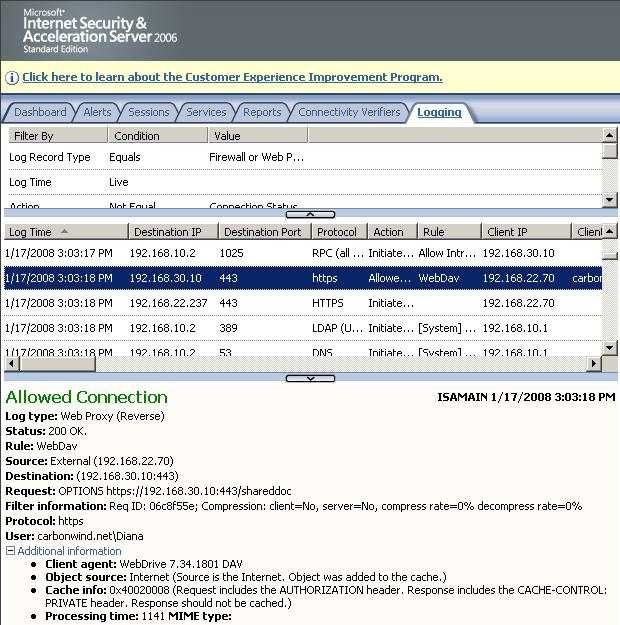
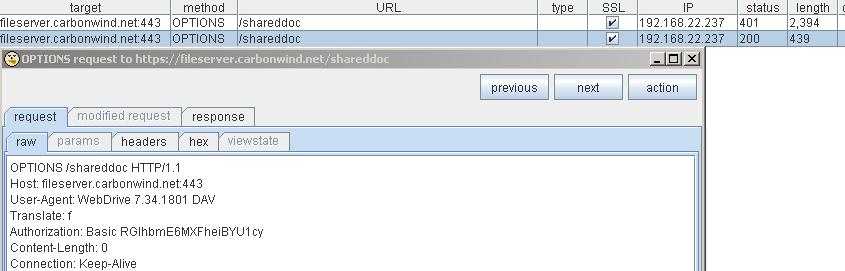
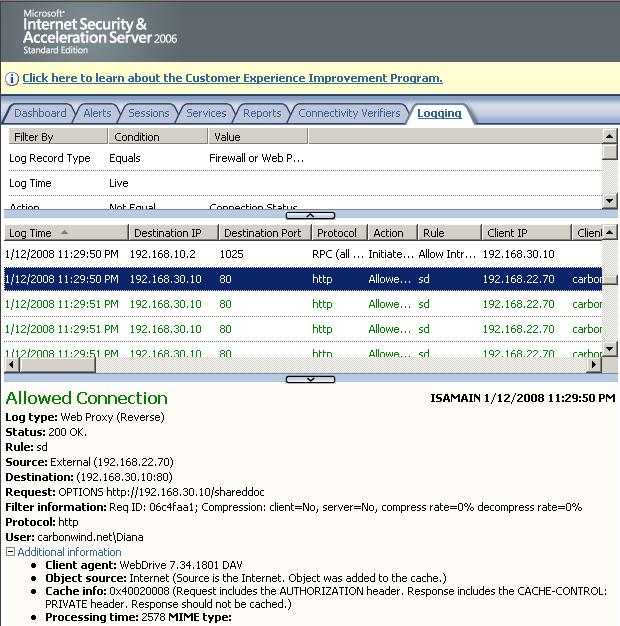
And WebDrive understands that and replies accordingly. Figure163 shows the ISA log for the OPTIONS request from WebDrive. As you can see, this time it includes the authorization header, therefore is allowed to pass(WebDrive does its magic). Without attaching the authorization header to the OPTIONS request ISA will deny the packet.
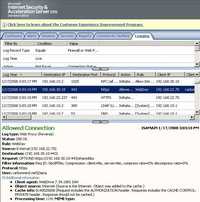
Figure163: ISA Log OPTIONS Allowed
Burp Proxy shows us the respective packet sent by WebDrive, see Figure164.
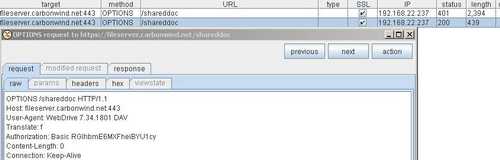
Figure164: Burp Proxy New OPTIONS Request
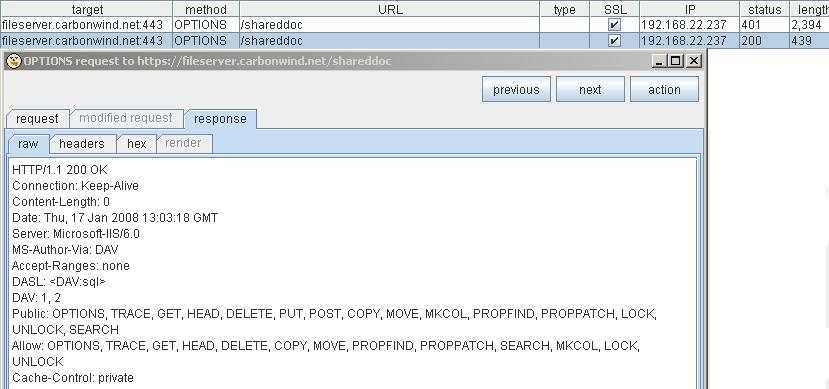
ISA forwards this packet to the WebDav server which will respond. See Figure165. And yes, the IIS server knows about WebDav.
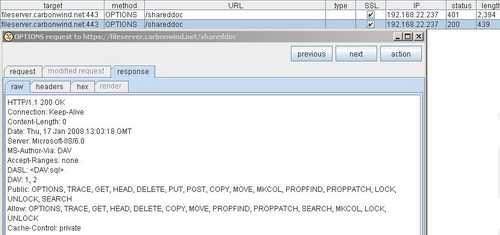
Figure165: Burp Proxy IIS Response
Next WebDrive issues a PROPFIND request along with the authorization header and traffic continues normally.
Note that the "TRACE" method is actually disabled on the IIS server(although in Figure165 the IIS server returns it). Please read the following Microsoft doc: WWW Service Registry Entries (IIS 6.0).
Some Security Audit reports will alert you about this, but they do *not* care about what happens when you really issue the TRACE request to the IIS server(they only acknowledge that this method was returned by the IIS server). You can use telnet and issue a TRACE request directly on your web server(not working for websites requiring SSL, you need another "telnet" client capable of using SSL):
telnet 127.0.0.1 80
And type something like:
TRACE / HTTP/1.1
Host: etregwrk
Q: heqorgvrev
If TRACE is allowed, a HTTP/1.1 200 OK message is return. See Figure166.
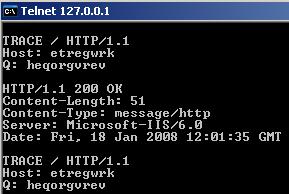
Figure166: HTTP/1.1 200 OK
If not you will get the HTTP/1.1 501 Not Implemented message. See Figure167.
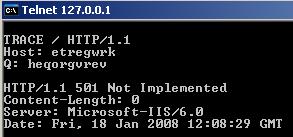
Figure167: HTTP/1.1 501 Not Implemented
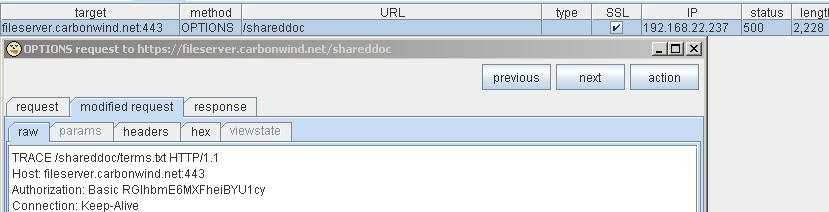
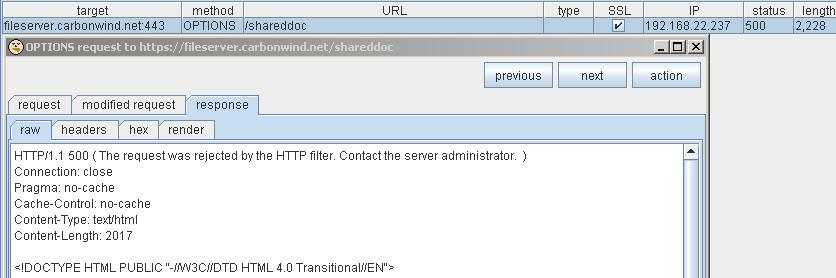
We can run this test with the help of Burp Proxy by modyfing on the fly a request from the WebDav client through ISA(maybe not the most fortunate test). However since the TRACE method is not allowed on ISA (the HTTP filter was configured to accept only valid methods), ISA will deny this packet. Thus a message using the TRACE method will never make it though ISA.
The TRACE request(modified OPTIONS request on the fly). See Figure168.
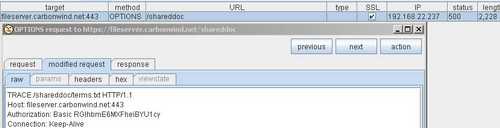
Figure168: Burp Proxy Modified Request TRACE
The response to the TRACE request. See Figure169.
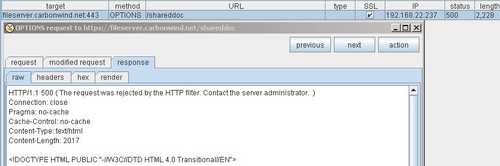
Figure169: Burp Proxy TRACE Response
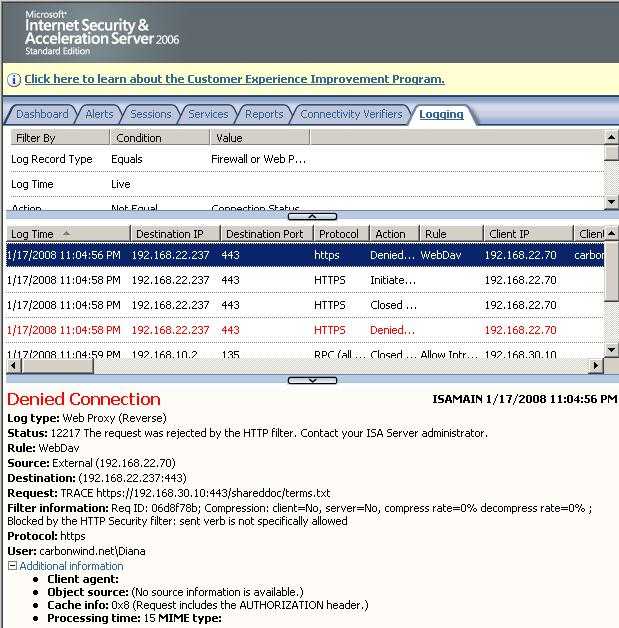
And the corresponding ISA Log, see Figure170.
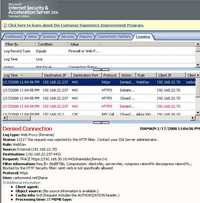
Figure170: ISA Log Trace Method
And what's happening on the wire when we use WebDav without TLS through ISA ?
Note that it is not recommended to do so due to security issues, traffic being sent in clear along with the credentials. You definetely don't want to do that in a production environment.
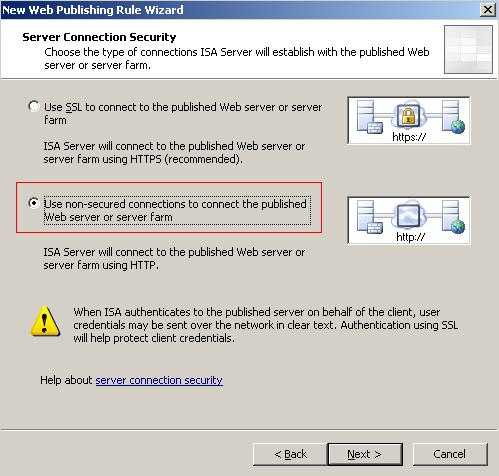
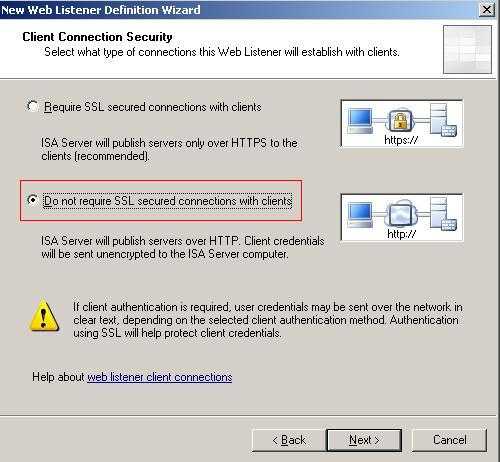
We can create a Web Publishing Rule on ISA in the same way we did for WebDav over TLS but this time without SSL, see Figure171 and Figure172.
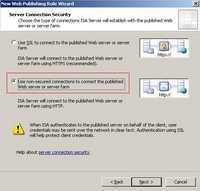 . .
Figure171: Non Secure Connection when Connecting to the Published Web Site
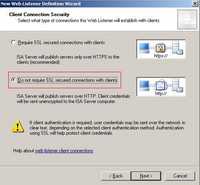
Figure172: Non Secure Connection for Clients
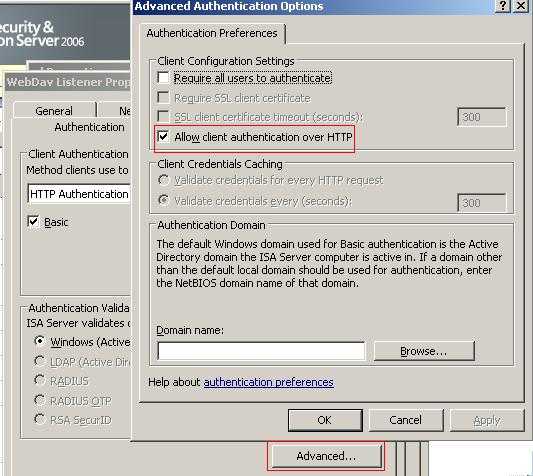
The authentication is the same, Basic on ISA and NTLM delegation. But "Allow Client Authentication Over HTTP" option is checked, see Figure173.
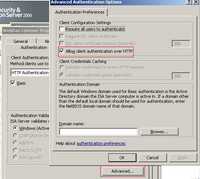
Figure173: Allow Client Authentication Over HTTP
If you attempt to open as Web Foder from a Windows XP SP2 machine you are caught in a loop where a window pops-up asking for credentials and nothing happens. Using a Web browser and viewing as a web page the WebDav site works fine. However you cannot open it as a WebFolder(either from IE or My Network Places).
If you connect directly(remove ISA from the picture) is working just fine.
So you might think ISA is doing something. See Figure174 and Figure175.
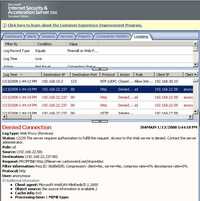
Figure174: WebDav Redirector Through ISA No TLS
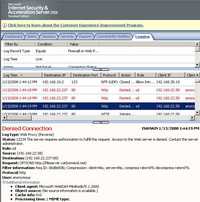
Figure175: WebDav Redirector Through ISA No TLS
Wrong, ISA is doing nothing!
Is just the WebDav Redirector unable to handle the Basic authentication required by ISA.
Remember that we have NTLM authentication also enabled on the Virtual Directory?
Disabled Integrated Authentication(NTLM) and leave just Basic authentication on the Virtual Directory.
Guess what ?
If you connect directly it will not work anymore. The WebDav Redirector does not send the required authentication header.
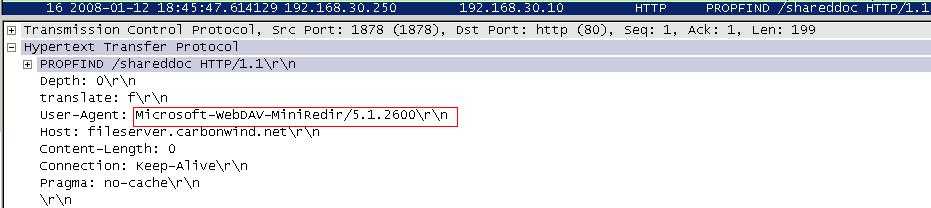
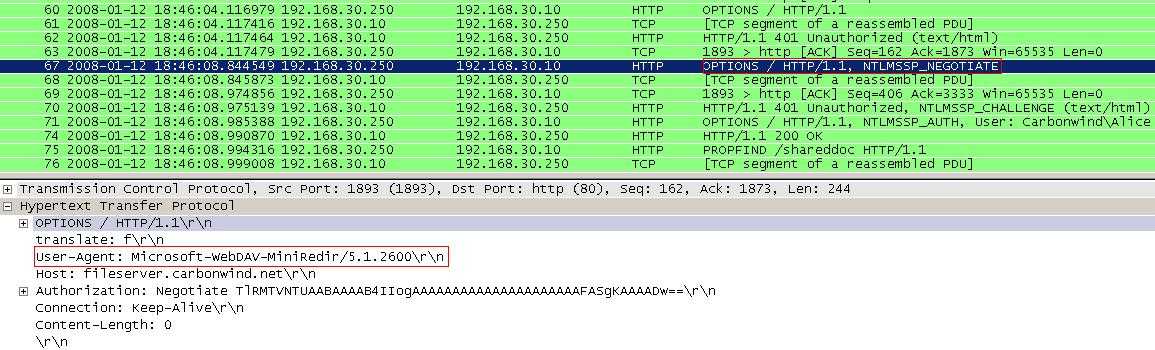
First let's analyze what's happening when the client connects directly(both NTLM are enabled on the IIS Virtual Directory). First issues a PROPFIND request, see Figure176. Watch for the "User-Agent".
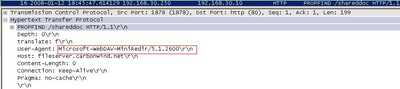
Figure176: WebDav Redirector XP no TLS Direct Connection
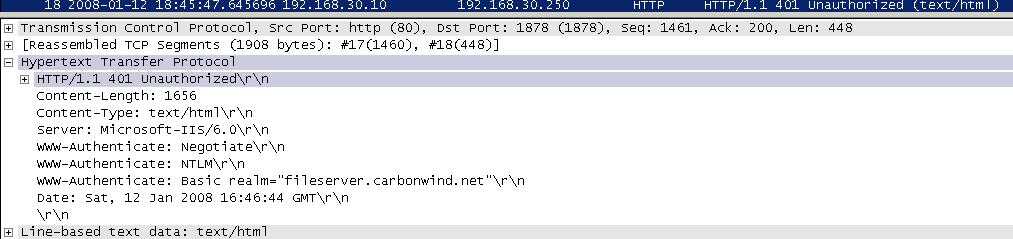
Next the IIS server required authentication, either Basisc or NTLM, see Figure177.
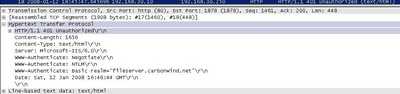
Figure177: IIS Authentication Required
And finally the WebDav Redirector uses NTLM authentication, see Figure178.
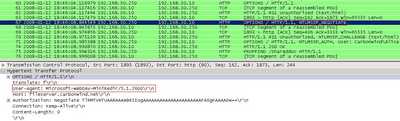
Figure178: NTLM Challenge
If you go and disable NTLM authentication on the Virtual Directory, as said before you will not be able to connect.
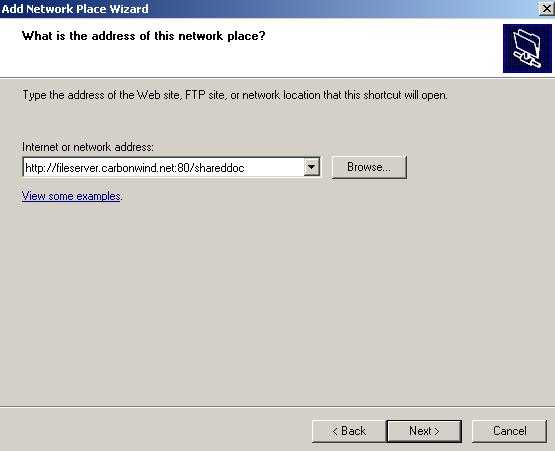
A solution to this will be to specify port 80 when we add a New Network Places. See Figure179.
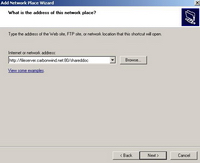
Figure179: Specify Port 80
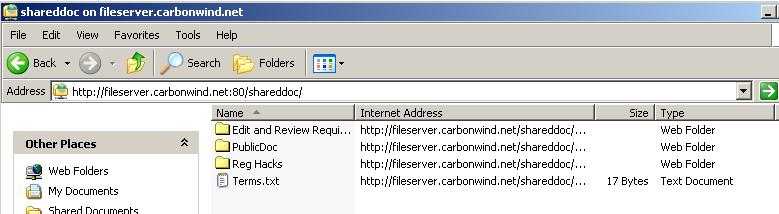
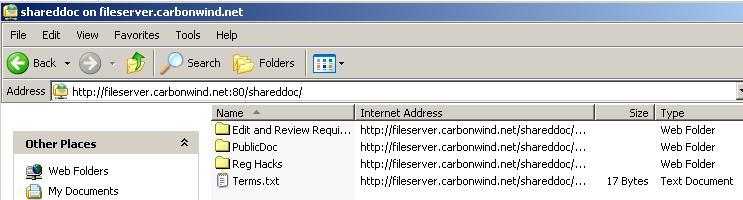
And we can connect. See Figure180.
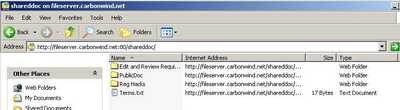
Figure180: Web Folder Ditect No TLS
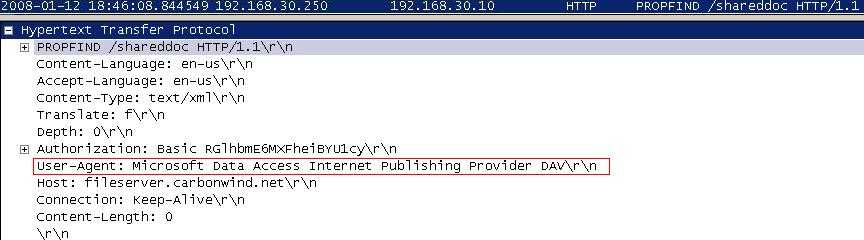
If you watch the Wireshark traces, something has changed, the "User-Agent". See Figure181.
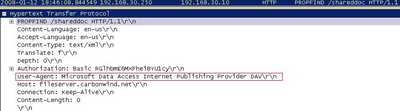
Figure181: WebDav Basic Authentication
So it appears that the old WebDav Windows client(Web Folders) is brought into action.
Also, by now you might get the error from Figure182 when you attempt to open a .txt file from the Web Folders.
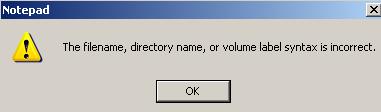
Figure182: Notepad Error
Using the port trick let's try to connect through ISA this time without TLS(using the above mentioned Web Publishing Rule). And surprise, it works. See Figure183.
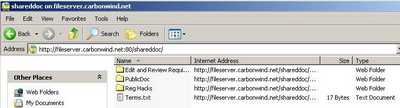
Figure183: Web Folder Through ISA No TLS
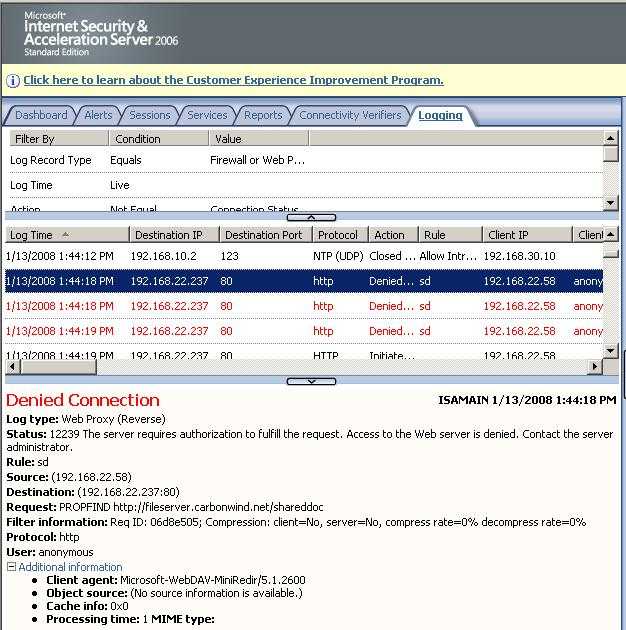
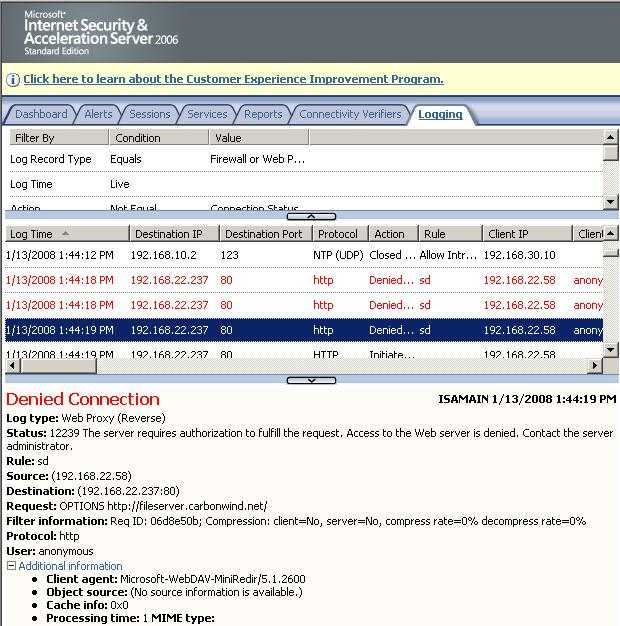
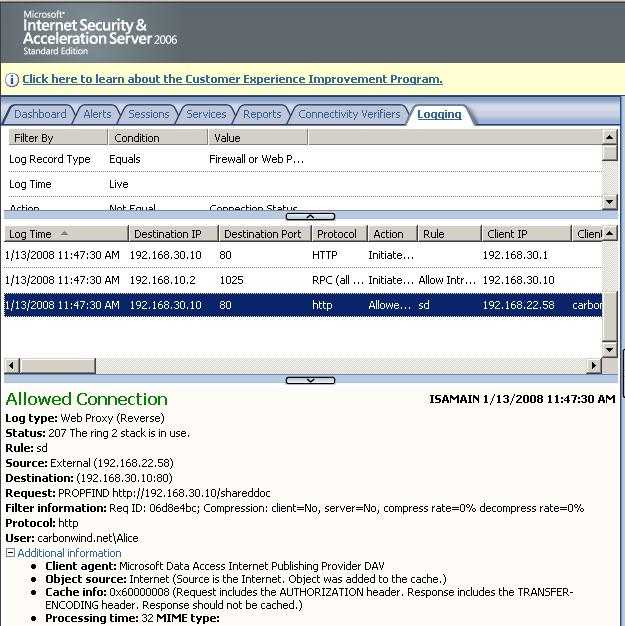
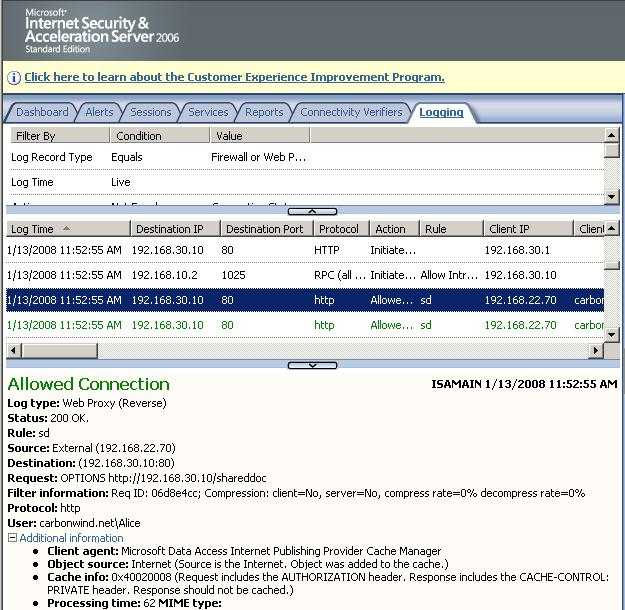
Looking at ISA's logs we can notice the old WebDav client (the "User-Agent"). See Figure184 and Figure185.
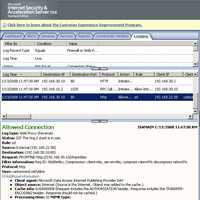
Figure184: ISA Log WebDAV No TLS PROPFIND
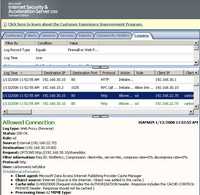
Figure185: ISA Log WebDAV No TLS OPTIONS
What a mess!
Vista seems to not include anymore the old WebDav client(Web Folders), only the Web Redirector which appears to have a problem with Basic authentication(does not send the Authorization header).
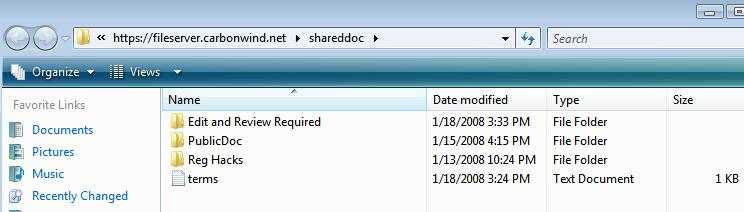
If we connect directly with Vista(no ISA) and NTLM authentication is enabled on the Virtual Directory, Vista can connect. See Figure186.
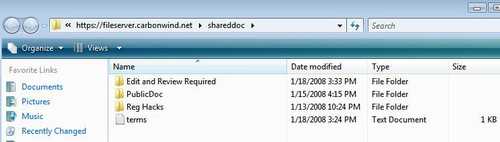
Figure186: Vista WebDav
All these become history when proper WebDav clients like WebDrive or Neon(on CentOS) are used.
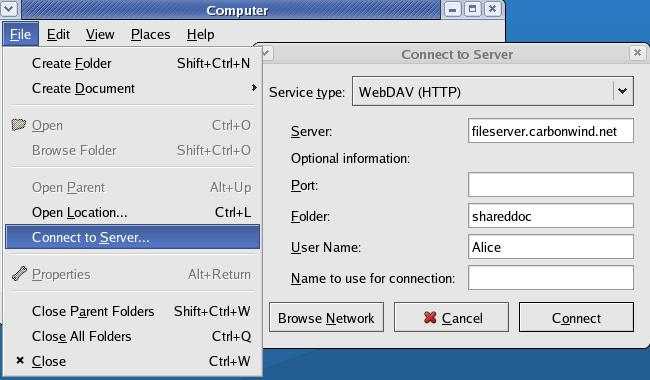
With CentOS is quite simple to connect to a WebDav server(enter a simple user name, without the domain prefix). See Figure187.
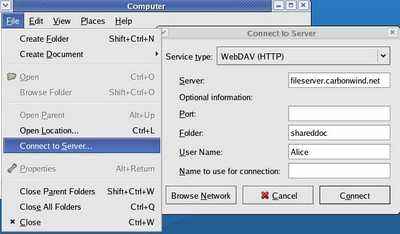
Figure187: CentOS WebDav
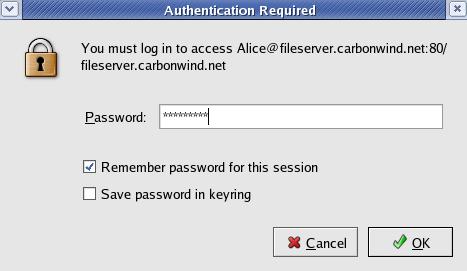
Enter your password and check "Remember password for this session". See Figure188.
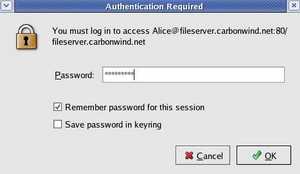
Figure188: CentOS WebDav Password
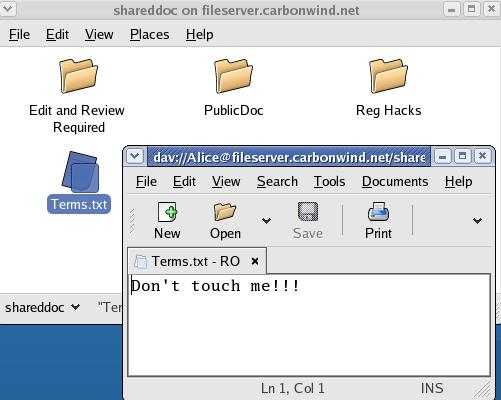
And we are connected. See Figure189.
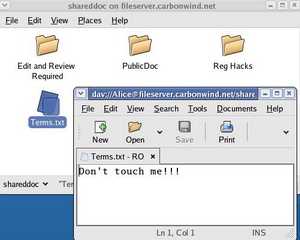
Figure189: CentOS WebDav Connected
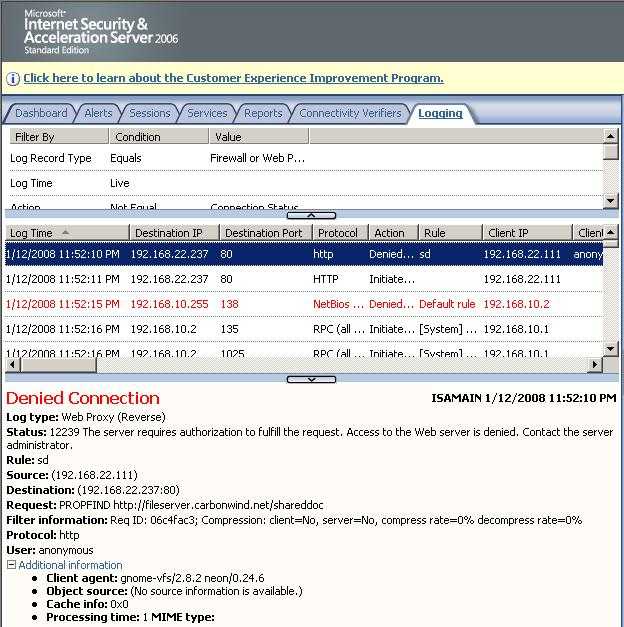
And ISA's logs showing the CentOS WebDav session. See Figure190 and Figure191.
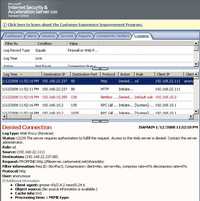
Figure190: ISA Log CentOS No TLS Requiring Authorization
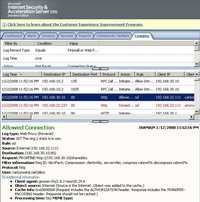
Figure191: ISA Log CentOS No TLS PROPFIND with the Authorization Header
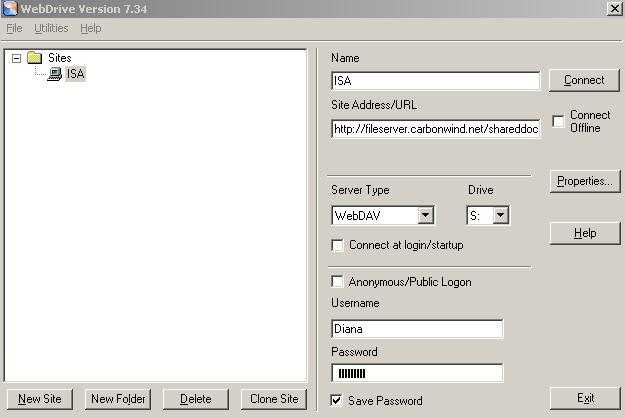
With WebDrive things are very simple also. Define a new site using WebDav and hit Connect. See Figure192.
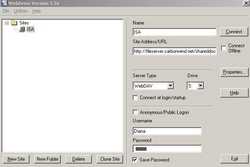
Figure192: WebDrive WebDav
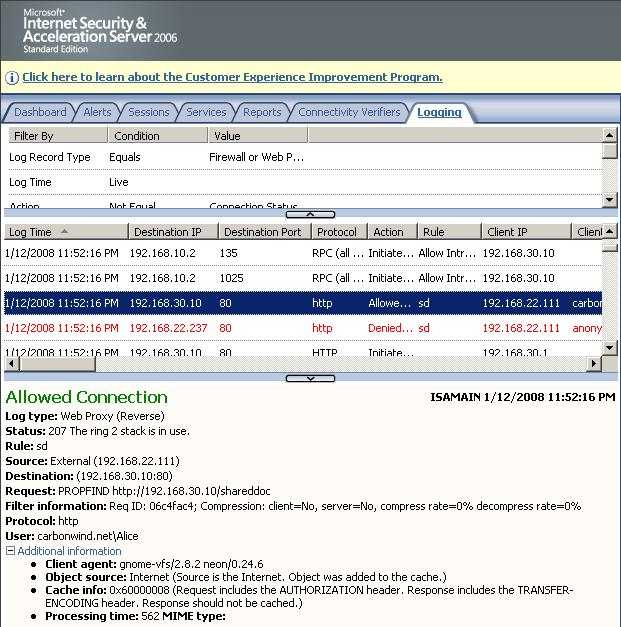
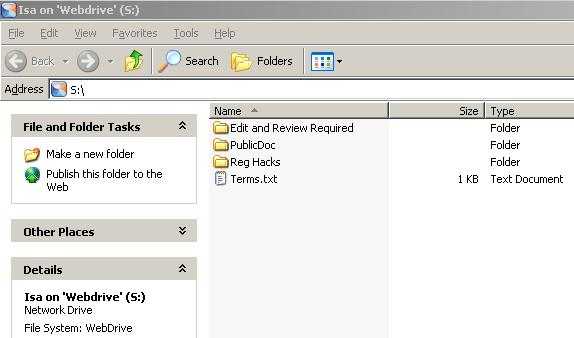
And we are connected. See Figure193.
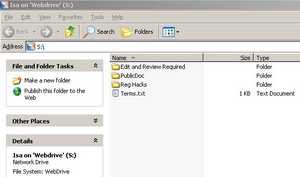
Figure193: WebDrive WebDav Connected
The corresponding ISA logs are shown in Figure194 and Figure195.
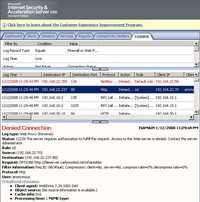
Figure194: ISA Log WebDrive WebDav No TLS Authentication Required
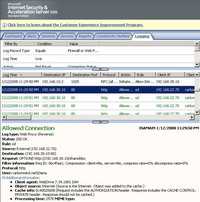
Figure195: ISA Log WebDrive OPTIONS Request with the Authorization Header No TLS
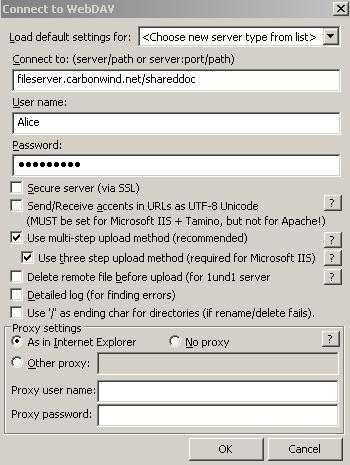
With Total Commander(WebDav plugin 1.6) no problems either. Hit F7 and define a new WebDav connection. See Figure196 for the settings of this connection.
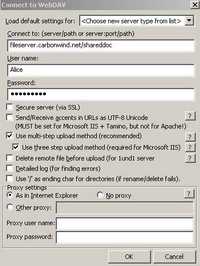
Figure196: Total Commander WebDav Settings
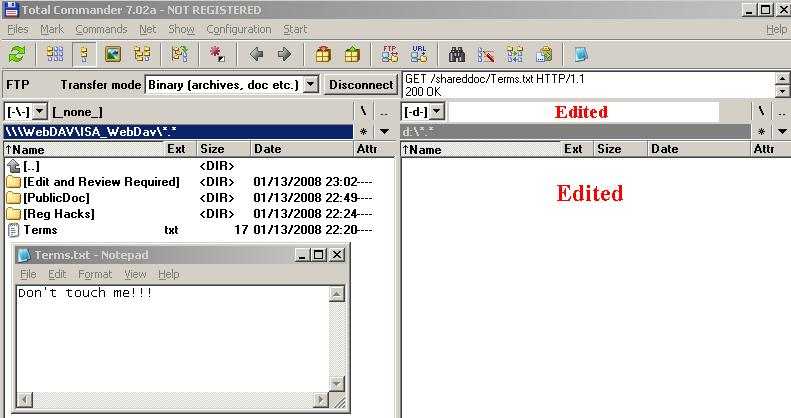
And then double-click the newly created WebDav Connection to connect. See Figure197.
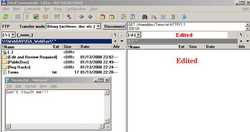
Figure197: Total Commander WebDav Connected Through ISA
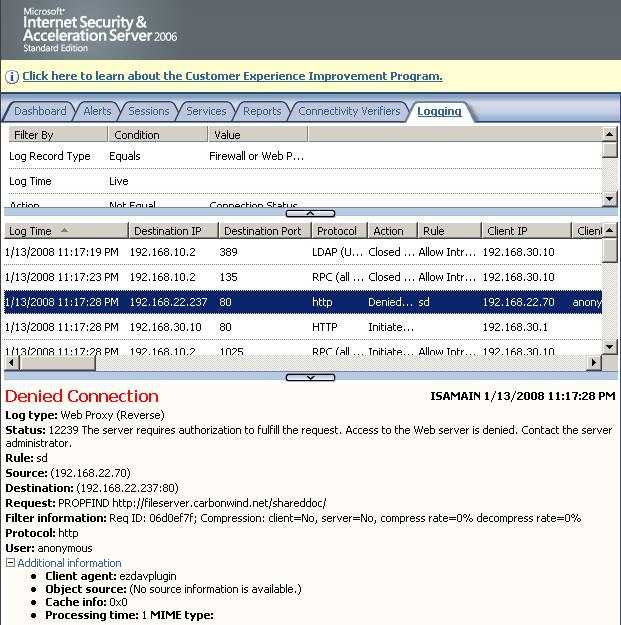
The corresponding ISA logs are shown in Figure198 and Figure199.
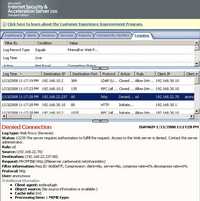
Figure198: ISA Log Total Commander WebDav No TLS Authorixation Required
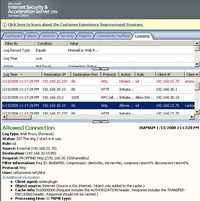
Figure199: ISA Log Total Commander WebDav No TLS PROPFIND Request with the Authorization Header
So publishing a WebDav server through ISA(with our without TLS) does not represent a problem with the right WebClient.
|